
7 Hidden Risks of Managing Clients with Excel (And How to Fix It)
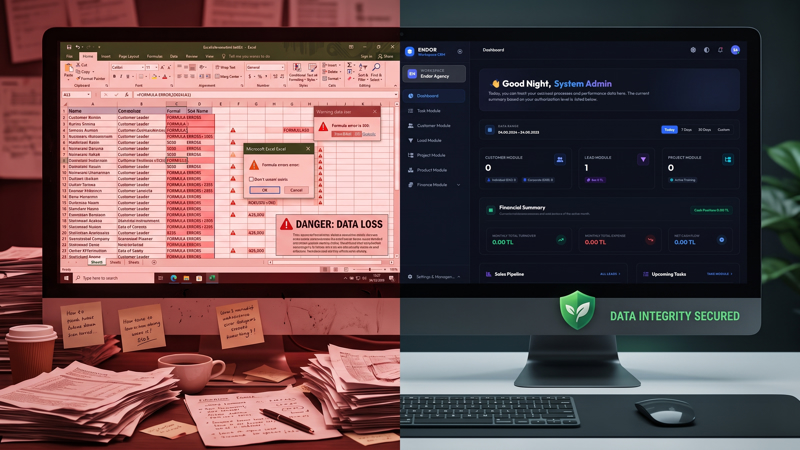
For early-stage startups and small businesses, Microsoft Excel and Google Sheets are the natural starting point. They are accessible, flexible, and virtually free.
However, once your sales organization expands beyond two reps and your client database exceeds a few hundred accounts, spreadsheets cease to be a helpful tool and become your company's greatest operational bottleneck to revenue growth.
Client relationships are not static cells; they are dynamic, evolving journeys requiring timestamped communication, automated follow-ups, currency-protected pricing, and strict access governance.
Here are the 7 hidden operational risks every business executive must evaluate:
1. Concurrency Conflicts & The "Client_List_Final_v3.xlsx" Trap
When multiple sales reps update the same spreadsheet simultaneously, data overwrite is inevitable:
- Rep A overwrites contact updates entered moments earlier by Rep B.
- Discrepancies multiply across outdated desktop file attachments.
- Teams spend hours in meetings simply attempting to identify the single source of truth.
2. Zero Follow-Up Reminders Leading to Lost Deals
Spreadsheets are passive grids. They cannot alert your reps when a hot commercial quote requires a follow-up. A crucial follow-up note hidden on row 210 gets forgotten. The prospect experiences radio silence and signs with a competitor. In contrast, an automated CRM triggers proactive notifications whenever a deal remains idle past a defined SLA.
3. Severe Security Leaks and Lack of Granular Access Control
Spreadsheets offer no granular permission matrix:
- Any employee with read access can download your entire commercial client portfolio to a personal flash drive in two clicks.
- Staff can view company-wide margins and confidential purchase costs.
An institutional-grade CRM restricts reps to assigned accounts only, with all export, deletion, and financial visibility gated by role permissions.
4. Total Loss of Institutional Memory
When a senior account executive departs your company, what happens to their negotiation notes, pricing promises, and client preferences? In spreadsheet-driven teams, that institutional intelligence walks out the door. A CRM permanently anchors every email, meeting summary, and quote revision to the organization's collective memory.
5. Broken Cell Formulas and Quotation Blunders
A single corrupted cell formula can miscalculate tax rates, apply incorrect currency conversions, and produce embarrassing quotation errors that damage corporate credibility.
6. Inability to Forecast Pipeline Revenue
Can your leadership team answer these three vital questions right now?
- What is our exact weighted pipeline value closing this quarter?
- Which sales rep possesses the highest quote-to-close conversion rate?
- What is our projected cash flow over the next 60 days?
Answering this via spreadsheets requires tedious manual pivot tables. A modern CRM generates these metrics in real time.
7. The Productivity Drain of Manual Data Re-Entry
Manually copying web form inquiries into spreadsheets and retyping data into accounting systems wastes hours each week. Unified CRM integrations eliminate double-handling entirely.
Comparison: Spreadsheets vs. Endor CRM
| Capability | Excel / Google Sheets | Endor CRM |
|---|---|---|
| Permission Matrix | None (All or nothing access) | 17-Module Granular Role Governance |
| Automation | None | Zero-Code Stage Triggers & Alarms |
| Multi-Currency Quoting | Manual & prone to formula errors | Live Central Bank FX & PDF Engine |
| Data Sovereignty | Unsecured local files | 100% On-Premise or Private Cloud |
Upgrading to Endor CRM requires no complex consulting months. Import your existing CSV sheets in minutes, choose your sector preset, and empower your team with an institutional-grade platform.
Ready to move beyond spreadsheets? Contact Endor Agency today to explore our live interactive demo.